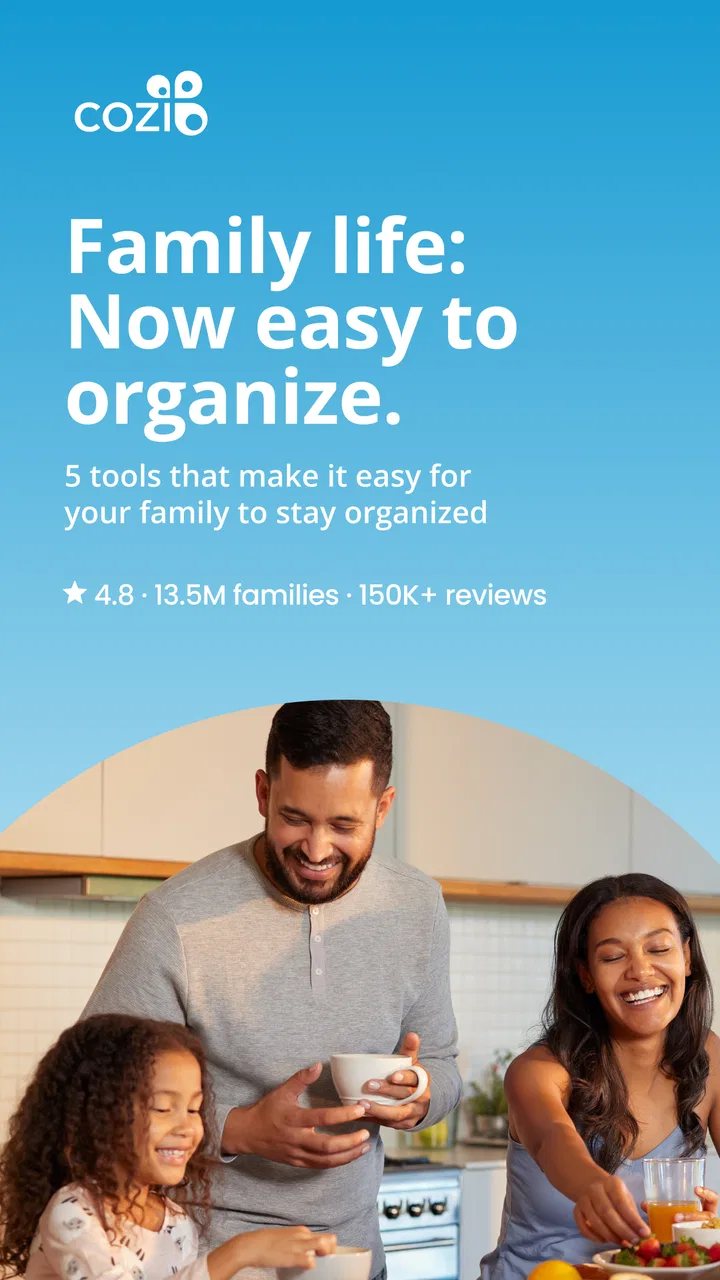
Cozi Family Organizer
- 4.7
- Rating
- 5.00M
- Installs
- Free
- Price

 Analysis by App-foxy
I like family-organizing apps most when they reduce the number of reminders people have to repeat out loud. That is the promise behind Cozi Family Organizer, a free productivity app from Cozi Inc. that brings shared planning and lists into one family space. After using it as a household hub, I found that its value is less about having a long list of advanced tools and more about making everyday coordination visible to everyone who needs it.
The app has a 4.8 average from around 113 thousand ratings, with more than 5 million installs. Those figures suggest that it has found a clear audience: families who want a shared place for schedules, errands, meals, and small responsibilities. It is rated for Everyone, runs on Android 6.0 or later, and its current version is 2026.02.06. The basic app is free, although optional in-app purchases range from $0.99 to $79.99 per item.
My overall impression is positive, but Cozi works best when a household agrees on how to use it. It cannot make people check a calendar, name a list clearly, or respond to a change. What it can do is give those habits a common home. That distinction matters, especially if you are moving from scattered text messages, paper notes, and separate personal calendars.
You May Also Like

 Blood Strike: 2.5 Anniversary
Blood Strike’s Loadouts Turn Every Drop Into a Tactical Gamble
A close look at Blood Strike’s custom loadouts: how fast access to signature weapons reshapes its battle royale rhythm, rewards preparation, and narrows the gap between fights.

 Pandora - Music & Podcasts
Pandora’s Music Is Easy to Start, but Harder to Recover
Pandora’s strength is its low-effort path from a seed to a station. Its weak spot is how much confidence it asks you to place in connection, setup, and quiet recovery.

 8 Ball Pool
 Is Built on Rivalries, Rematches, and Routine
A close look at the rivalries, rematches, shared routines, and unanswered safety questions that turn a quick pool match into a persistent mobile community.

 Samsung Music
’s Quiet Strength Is Playing What You Already Own
Its reach comes less from spectacle than from dependable access to a personal library. That simplicity is both the app’s strongest retention engine and its ceiling.

 AccuWeather: Weather Radar
AccuWeather Review: A Quick, Clear Forecast for Everyday Decisions
For everyday plans, the best forecast is the one you can understand quickly. AccuWeather makes rain timing, radar, and local conditions easy to act on, with a few trade-offs.

 Hill Climb Racing
Why Hill Climb Racing Still Turns Crashes Into One More Run
A tiny car, a bumpy hill and one more upgrade: Hill Climb Racing keeps resurfacing because its simple chaos makes every near-miss feel personal.
More From Our News Desk



Where family planning usually gets stuck
The first obstacle is not normally adding an event. It is deciding what belongs in the shared family space and what should remain private. If every appointment, personal reminder, and minor task is added immediately, the calendar can become noisy. If nothing is shared until the last minute, the app cannot solve the communication problem.
I recommend starting with events that affect at least two people: school activities, medical appointments, travel, household deadlines, and planned family time. Keep the first version deliberately simple. A short, useful calendar is easier to trust than a crowded one that nobody wants to open.
Lists are where Cozi can become especially practical. A grocery list, packing list, or household-maintenance list is more useful when it is written around a real situation rather than a vague category. “Weekend trip” gives people a reason to check items; “things to remember” usually becomes a dumping ground. This small naming choice makes the shared space easier to scan.
A realistic example is a busy Thursday. One parent adds a school event to the family calendar, another checks the grocery list while leaving work, and a child sees that a sports bag needs to be ready before the evening activity. Without a shared system, each detail might arrive through a different conversation. With Cozi, the household still has to act, but the information is less likely to disappear in a chat thread.
Another common sticking point is assuming that a shared organizer should replace every other calendar. I would not treat it that way automatically. Many people still need a personal work calendar or a private appointment system. Cozi is strongest as the family-facing layer: the place where information is intentionally visible to the household.
Start with a small family agreement
Before adding lots of content, decide who is allowed to create or change shared events, which lists deserve regular use, and how completed or outdated items will be cleared. This is not a technical setting; it is a routine. The app feels much less confusing when everyone understands whether a list is a shopping queue, a running inventory, or a one-time checklist.
I also found that color or person-based organization, where available in the app’s shared planning approach, should be used for recognition rather than decoration. The goal is to answer “who is involved?” quickly. If the household uses too many labels without a consistent meaning, visual organization becomes another thing to learn.
Setup checks that prevent avoidable frustration
Cozi is free to install, so the first useful test is not whether you can download it. It is whether the family can create a shared workflow that everyone can access. I would begin by installing the app on the devices that will actually be used, signing in consistently, and checking that the same family space appears where expected.
If one person sees an empty calendar while another sees several events, the first suspicion should be account or family-space mismatch rather than missing data. Compare the sign-in details and confirm that everyone is working in the same household area. A shared organizer only works when the participants are connected to the same place.
Next, add one harmless test event and one short test list. Give the event a clear title, a date, and the people who need to know about it. Then check the other device before building an entire month of plans. This catches setup confusion early and avoids the unpleasant discovery that a household has been entering information into separate spaces.
It is also worth checking the phone’s basic app behavior. If the app appears slow to update, close and reopen it, confirm that the device has a stable connection, and make sure the app is not being aggressively restricted in the background. Menu names and device controls vary, so I would use the phone’s own app settings rather than changing unrelated system options at random.
Keep the current version in mind when troubleshooting. The app’s listed version is 2026.02.06, and behavior can change after updates. If a screen looks different from an older guide or a family member’s device, compare the app versions before concluding that something is broken. On older phones, Android 6.0 is the minimum operating system, but meeting a minimum does not guarantee identical performance across every device.
Use the first session as a controlled test
My preferred setup sequence is deliberately boring. Create the family space, add the people who need access, enter one shared event, create one list, and verify that the information is visible from another account or device. Only after that would I add recurring household patterns or a large collection of tasks.
This approach answers an important practical question: can everyone participate without needing one person to act as the family’s permanent administrator? If the answer is no, simplify the structure. An organizer that depends on one highly motivated user can still help, but it will not distribute responsibility as well as it should.
Remember that optional purchases exist inside the otherwise free app. I would use the free experience long enough to understand the household workflow before paying for anything. The important test is whether shared planning itself becomes easier, not whether an extra option sounds attractive in isolation.
Recovering when a workflow falls apart
When an event or list seems missing, I would avoid immediately re-entering everything. Duplicate entries are harder to clean up than a temporary display or synchronization problem. First, check the date, spelling, and list name. Then refresh the view or reopen the app and look again from the account that originally created the item.
If only one person cannot see the information, compare access and account details with someone who can. If nobody can see it, check whether the item was placed in the intended family area. This simple distinction helps separate a visibility issue from an entry mistake.
For a list that has become chaotic, do not try to repair every item at once. Make a fresh list for the immediate need, such as “Saturday guests” or “camping supplies,” and leave the old list temporarily untouched. Once the urgent task is complete, decide whether the old list should be cleaned, renamed, or retired. This is quicker and less stressful than reorganizing a long list while people are already shopping or packing.
The same principle works for calendars. If there are duplicate events, keep the version with the clearest title and most useful details, then remove the extra entry carefully. Avoid changing several fields on several devices at the same time while troubleshooting. One person making one controlled correction is easier to verify.
When a family member says, “I added it, but nobody saw it,” ask three practical questions: Was it added to the shared family space? Was the date or time correct? Did another user check after reopening the app? These questions sound obvious, but they cover a large portion of everyday organizer confusion without requiring complicated technical fixes.
Build a recovery habit, not a rescue ritual
A useful household habit is to review the next day’s shared events at a predictable time. This is not about constantly monitoring the app. It is a short confirmation that important changes have been entered correctly. If a detail is wrong, it can be corrected before the appointment, trip, or school activity becomes urgent.
I would also keep list names stable. Renaming a list every few days makes it difficult to know whether an item belongs there. For seasonal needs, create a new list rather than turning a permanent grocery list into a temporary holiday checklist. Clear boundaries reduce accidental clutter.
Cozi is particularly helpful when the family has repeating patterns but changing details. A weekly rhythm may stay familiar, while the location, person responsible, or required items change. Keeping the recurring idea separate from the one-off details makes the system easier to maintain than writing a completely new plan from scratch every time.
When the app is not the cause
Not every missed reminder or incomplete list is a software failure. A shared organizer can display information, but it cannot guarantee that someone has read it. If a person rarely opens the app, adding more entries will not improve communication. In that situation, a brief household rule—such as checking the shared plan before the evening meal—may help more than changing settings.
Connectivity can also create misleading symptoms. A weak connection may delay what appears on another device, while a device that is low on storage or heavily restricted in the background may behave differently from a newer phone. I would test the same account on a reliable connection and restart the app before assuming that shared information has been lost.
There is also a human limitation: some families simply prefer direct conversation for urgent changes. Cozi should not be the only channel for a time-sensitive emergency. Use the method that reliably reaches the person, then update the shared calendar afterward so the household record remains accurate.
The app may not be the right choice for a team that needs detailed project management, complex dependencies, or extensive professional collaboration. A family organizer is intentionally lighter than a work-management platform. If your main need is assigning multi-step projects with formal status tracking, a dedicated project tool may be a better fit.
It may also be a poor match for someone who wants a deeply customized personal calendar with specialist scheduling controls. Cozi’s appeal is shared simplicity. If you mainly manage private appointments and rarely coordinate with relatives, your phone’s built-in calendar may be faster and less demanding.
How it compares with familiar alternatives
Compared with a paper calendar, Cozi is easier to update when plans change and more useful when several people need the same information in different places. Paper still has one advantage: it is instantly visible in a kitchen or hallway without anyone opening a device. Families who like a physical command center may prefer using both, with Cozi holding the changeable details.
Compared with a general calendar app, Cozi feels more purpose-built for household coordination because lists sit alongside scheduling rather than being treated as a separate system. A general calendar may be better for work integration, professional appointments, or highly individualized planning. Cozi is better when the shared family context matters more than deep calendar customization.
Compared with group messaging, it is less conversational but more structured. A chat is excellent for asking, “Can you pick up milk?” It is much worse at preserving that request where everyone can find it later. I see Cozi as the place for durable plans and lists, while messaging remains useful for quick discussion and exceptions.
Who will get the most from Cozi
I would recommend it to families coordinating school schedules, appointments, shopping, trips, and household responsibilities across multiple people. It is also a good fit for relatives who do not want to learn a complicated productivity system. The Everyone age rating reflects its broad accessibility, but the real test is whether the household wants one shared routine.
It can be especially useful when one person currently carries all the planning in their head. Moving visible information into a shared space does not automatically divide the work, but it makes the imbalance easier to see. That can lead to a fairer arrangement: one person adds appointments, another maintains groceries, and someone else checks upcoming logistics.
I would suggest skipping it if your household already has a reliable calendar-and-list system that everyone uses. Switching tools creates its own work, and Cozi is not automatically better just because it is designed for families. I would also look elsewhere if you need advanced professional scheduling, detailed project controls, or a private productivity system rather than a shared one.
My practical verdict after using it
Cozi Family Organizer succeeds by making ordinary coordination less scattered. Its strongest feature is not a flashy capability; it is the combination of a shared calendar and shared lists in a space that feels approachable. That makes it suitable for families who need a common reference point without turning household planning into a formal project.
The main friction comes before the benefits: everyone must join the same family space, agree on what belongs there, and develop the habit of checking it. Most recovery steps are simple—verify the account, check the intended calendar or list, reopen the app, and test one item before rebuilding everything. Those checks are worth learning because they prevent small misunderstandings from becoming duplicate work.
For me, the best way to use it is as a family dashboard rather than a complete replacement for every calendar, message, and reminder. Keep shared information clear, use focused lists for real situations, and review the next day’s plans consistently. The app works best when it supports a household routine instead of trying to create one by itself.
Since the download is free, it is easy to try without committing the family to a paid plan. I would give it a fair test with one shared event, one practical list, and the people who genuinely need access. If that small experiment reduces repeated questions and missed details, expanding the system makes sense. If it adds another place nobody checks, the problem is probably the workflow rather than the app.
My final recommendation is therefore straightforward: choose Cozi when your priority is simple, visible family coordination, and be prepared to keep the shared space tidy. Choose a general calendar or project tool when your needs are more specialized. For the right household, this productivity app is a useful middle ground between a paper planner, a noisy group chat, and an overly complicated management system.
FAQs for Cozi Family Organizer
01What features does Cozi Family Organizer offer?
Cozi Family Organizer is packed with features designed to streamline family life. It includes a shared calendar for all family members, a shopping list, to-do lists, and a family journal. The app also offers reminders and meal planning capabilities, ensuring everyone is on the same page and helping to coordinate busy schedules efficiently.
02Is Cozi Family Organizer free to use?
Cozi Family Organizer offers a free version with essential features like the shared calendar and lists. However, for an enhanced experience, Cozi Gold is available as a paid subscription. This premium version includes additional features like calendar search, birthday tracker, and the ability to set multiple reminders.
03How secure is the data stored in Cozi Family Organizer?
Cozi Family Organizer prioritizes user privacy and data security. It uses encryption to protect data both in transit and at rest. Additionally, sensitive information such as passwords is stored securely. It's important to use strong, unique passwords and enable any available security measures to further safeguard your data.
04Can Cozi Family Organizer be used offline?
Cozi Family Organizer requires an internet connection for syncing data across devices, which means some features are limited offline. However, any changes made offline will automatically update once the device reconnects to the internet, keeping all family members updated seamlessly.
05Is Cozi Family Organizer available on all devices?
Yes, Cozi Family Organizer is designed for both Android and iOS devices. It also offers a web version accessible through any browser, making it versatile and user-friendly across different platforms. This ensures that family members can stay connected and organized regardless of their preferred device.
Pros
- User-friendly interface for all ages.
- Syncs across multiple devices seamlessly.
- Customizable calendar views.
- Shopping lists can be shared easily.
- Supports multiple reminders for tasks.
Cons
- Limited features in free version.
- Ads can be intrusive at times.
- No offline access to features.
- Occasional sync delays reported.
- Customization options are limited.

Cozi Family Organizer
Gallery